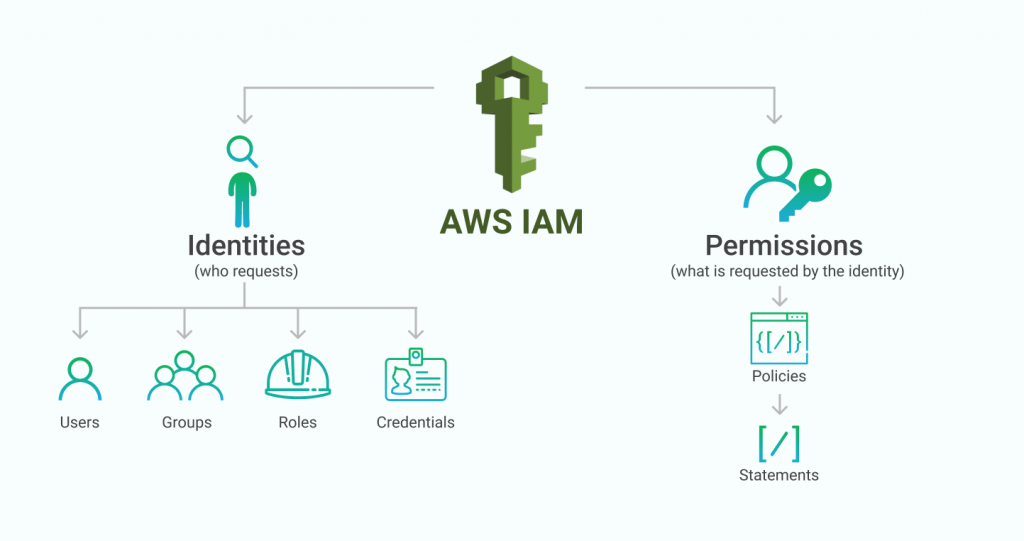
Demystifying AWS Identity and Access Management (IAM): A Comprehensive Guide
In the world of cloud computing, security is of utmost importance.
AWS Identity and Access Management (IAM) is a powerful service offered by Amazon Web Services (AWS) that enables organizations to manage user access and permissions to AWS resources.
In this comprehensive guide, we will delve into the ins and outs of AWS IAM, its key features, and how to leverage it effectively to enhance your cloud security.
Understanding AWS IAM
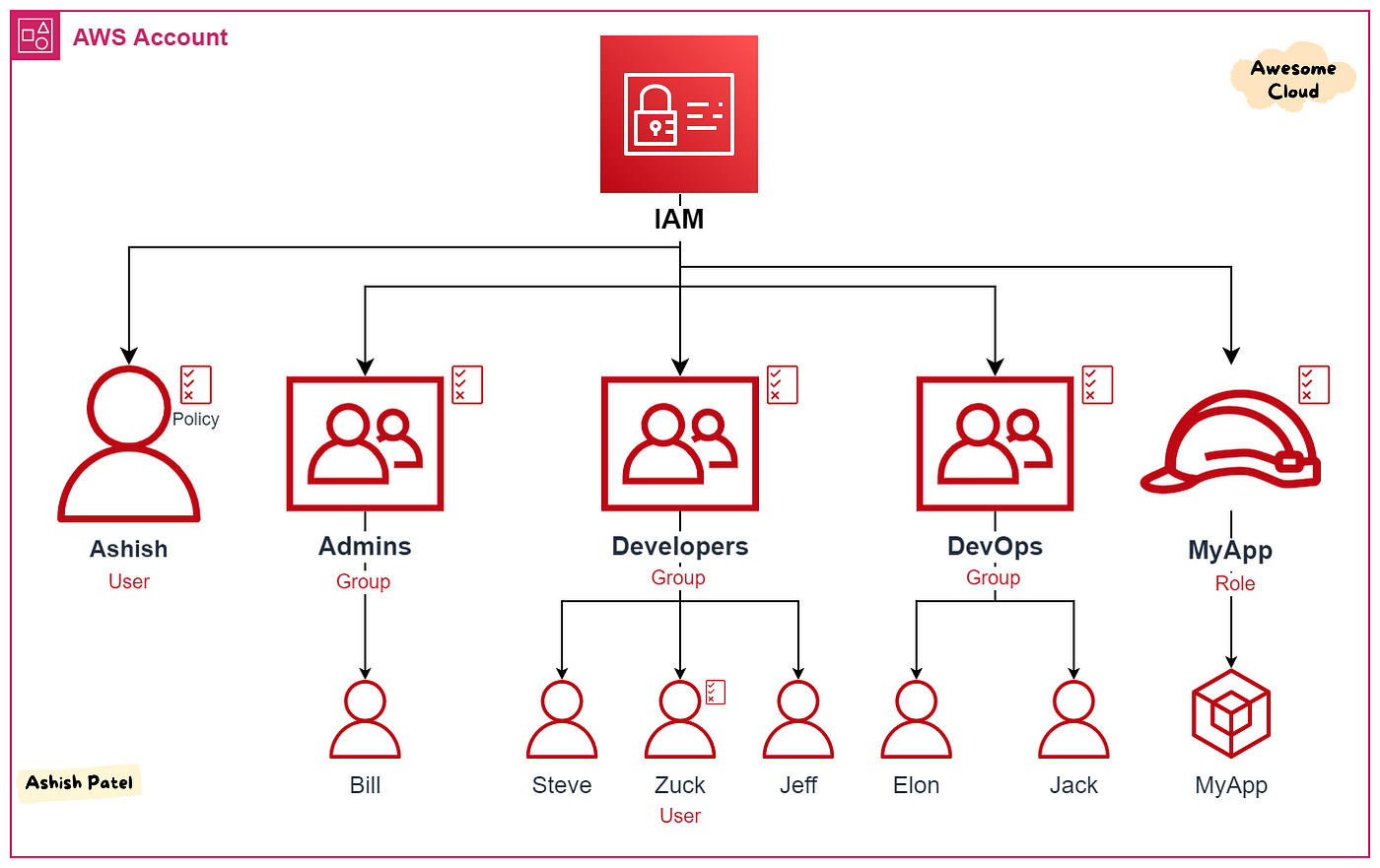
AWS IAM is a web service that helps you securely control access to AWS resources.
It allows you to manage users, groups, and roles and assign granular permissions to these entities.
IAM is designed with a shared responsibility model, enabling organizations to have fine-grained control over who can access which resources.
Key Features of AWS IAM
1. Identity Management:
- IAM Users: Create and manage individual IAM users, providing them with unique security credentials.
- IAM Groups: Organize users into groups, simplifying access management by assigning permissions to groups rather than individuals.
2. Access Control:
- IAM Roles: Define roles with specific permissions and assign them to AWS resources or trusted entities.
- IAM Policies: Create custom policies to grant or deny permissions for IAM users, groups, or roles.
3. Multi-Factor Authentication (MFA):
- Enable MFA to add an extra layer of security by requiring users to provide additional authentication factors, such as a physical token or mobile app.
4. Federation:
- Integrate with external identity providers (e.g., Active Directory) using federation, enabling users to sign in with their existing credentials.
Best Practices for AWS IAM
1. Principle of Least Privilege:
- Follow the principle of least privilege by granting only the necessary permissions to users, groups, and roles. Restrict access to sensitive resources and regularly review and revoke unnecessary privileges.
2. Regularly Rotate Credentials:
- Set policies to enforce password rotation for IAM users and rotate access keys for programmatic access to AWS services. Regularly audit and remove unused credentials.
3. Enable CloudTrail Logging:
- Enable AWS CloudTrail to capture API calls and log events related to IAM. This provides an audit trail for security analysis, resource tracking, and compliance auditing.
4. Use IAM Roles for EC2 Instances:
- Instead of using access keys, assign IAM roles to EC2 instances. This eliminates the need to manage and rotate access keys manually.
5. Implement IAM Conditions:
- Use IAM conditions to create fine-grained access control policies based on factors such as IP addresses, time of day, and user properties.
Integrating IAM with Other AWS Services
1. Amazon S3:
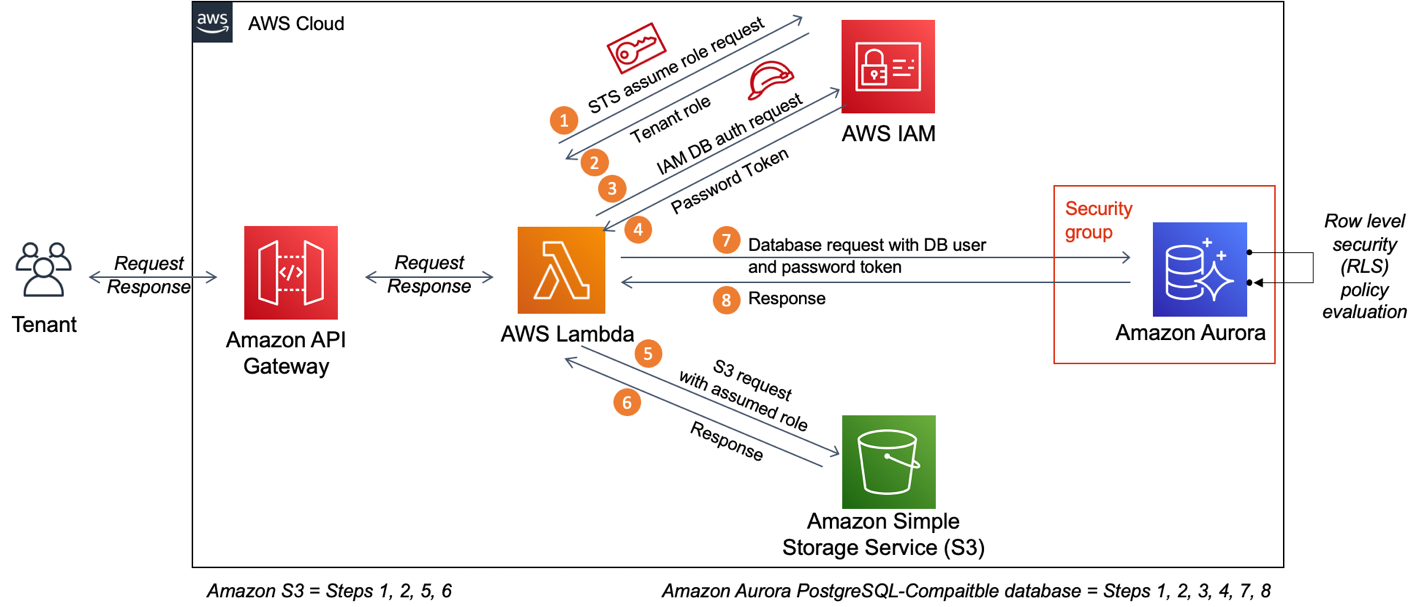
- Utilize IAM policies to control access to S3 buckets, allowing only authorized users to read, write, or modify objects.
2. AWS Lambda:
- Assign IAM roles to Lambda functions, granting them permissions to access other AWS resources securely.
3. AWS CloudFormation
- Leverage IAM roles and policies to define permissions for CloudFormation stacks, ensuring controlled resource provisioning.
4. Amazon RDS:
- Use IAM database authentication to manage database access for Amazon RDS instances, reducing the need for traditional username/password management.
AWS Identity and Access Management (IAM) is a vital component of securing your AWS infrastructure.
By following best practices and leveraging the robust features of IAM, you can effectively manage access to AWS resources, minimize security risks, and maintain compliance
0 Comments Add a Comment?